Product

One workspace for the week your team actually works

Shiftway is a weekly schedule, request inbox, and team comms tool. Managers publish the week. Employees see their shifts, ask for time off, swap, and claim open coverage.

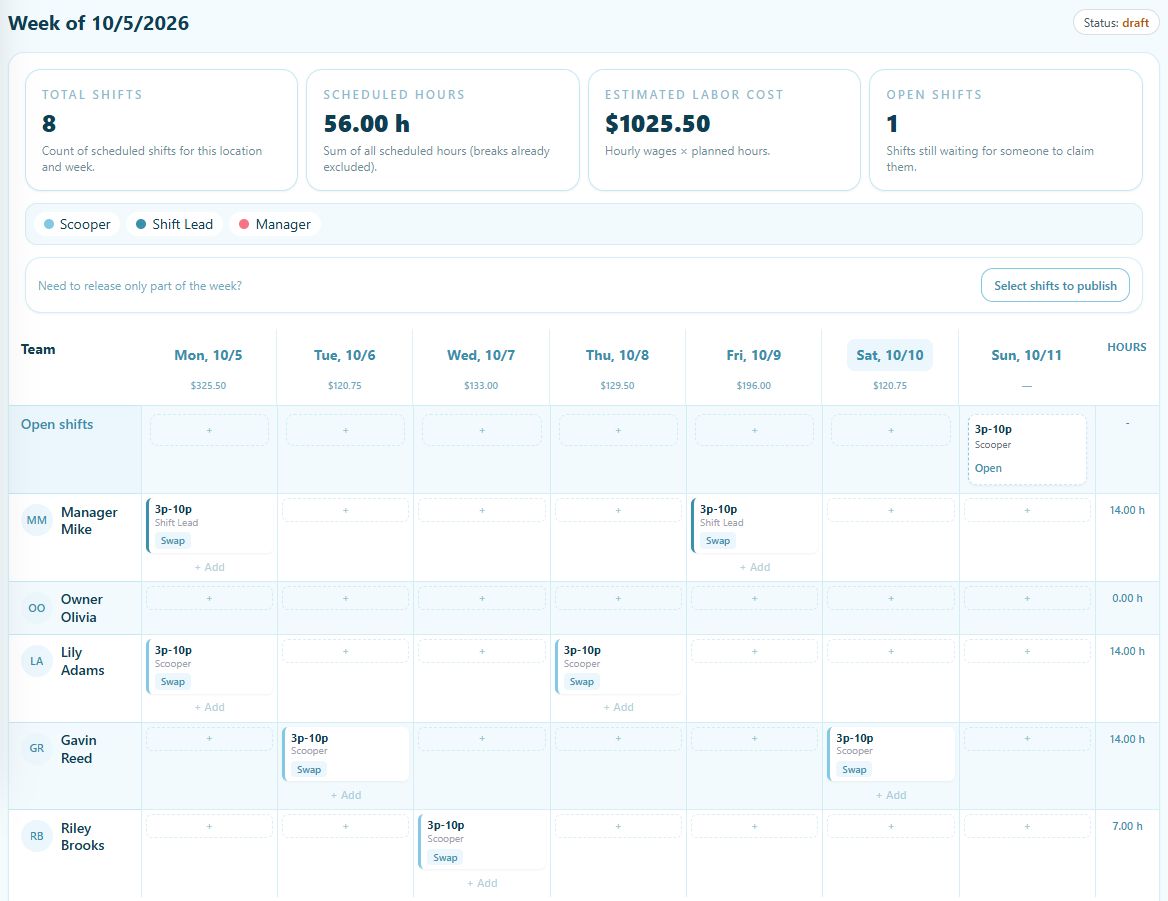
Actual Shiftway desktop weekly schedule with sample employees, an open shift, scheduled hours, and estimated labor cost
Actual desktop schedule · Sample workspace
Weekly schedule

Build a seven-day grid, copy last week, then publish when the week is ready.

Requests and open shifts

Time off, swaps, and uncovered shifts stay in the same workspace as the grid.

Team communication

Messages and a company feed so the schedule is not living in a group text.

Explore the features

See what your team can do.

Open any feature for a closer look, including a product preview and the details of how it works.

iPhone app · Basic and Pro

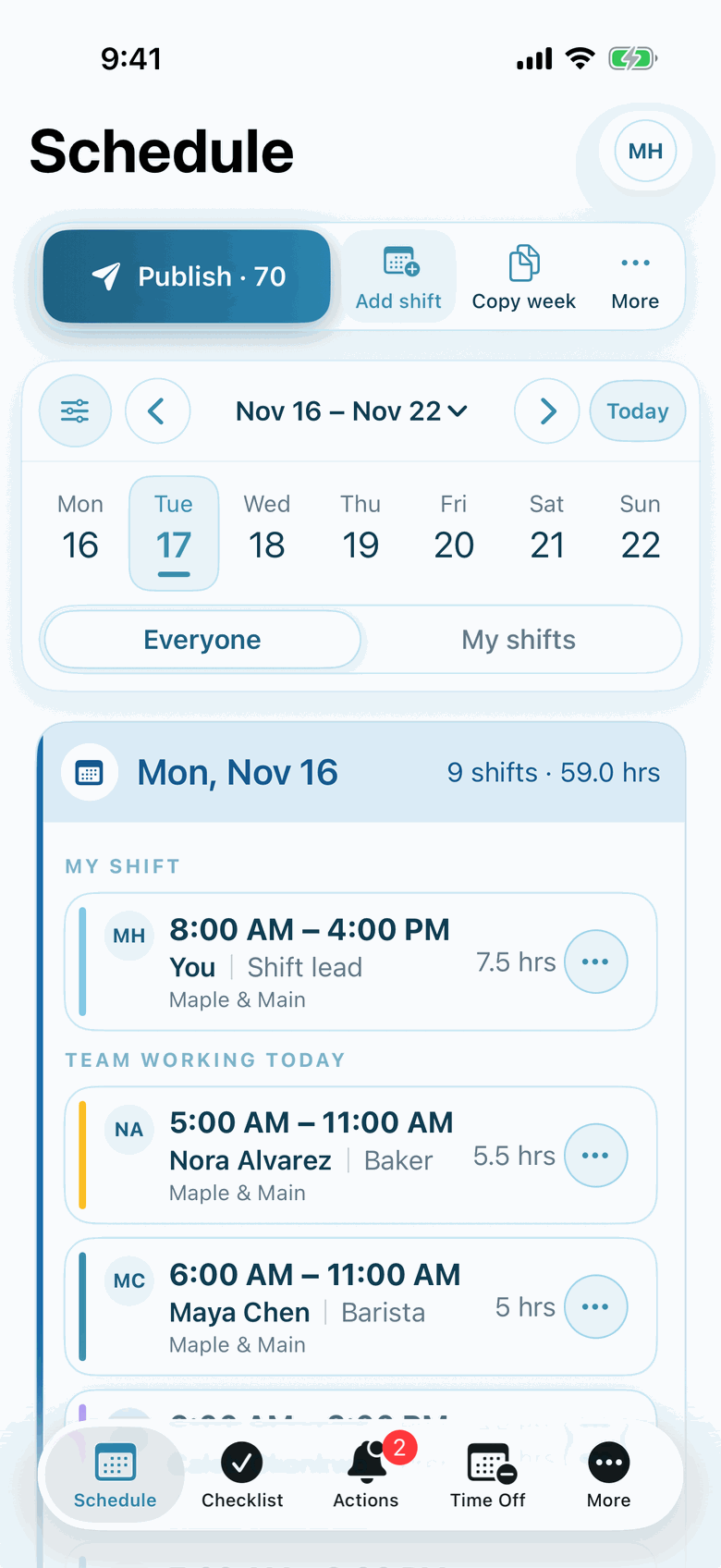
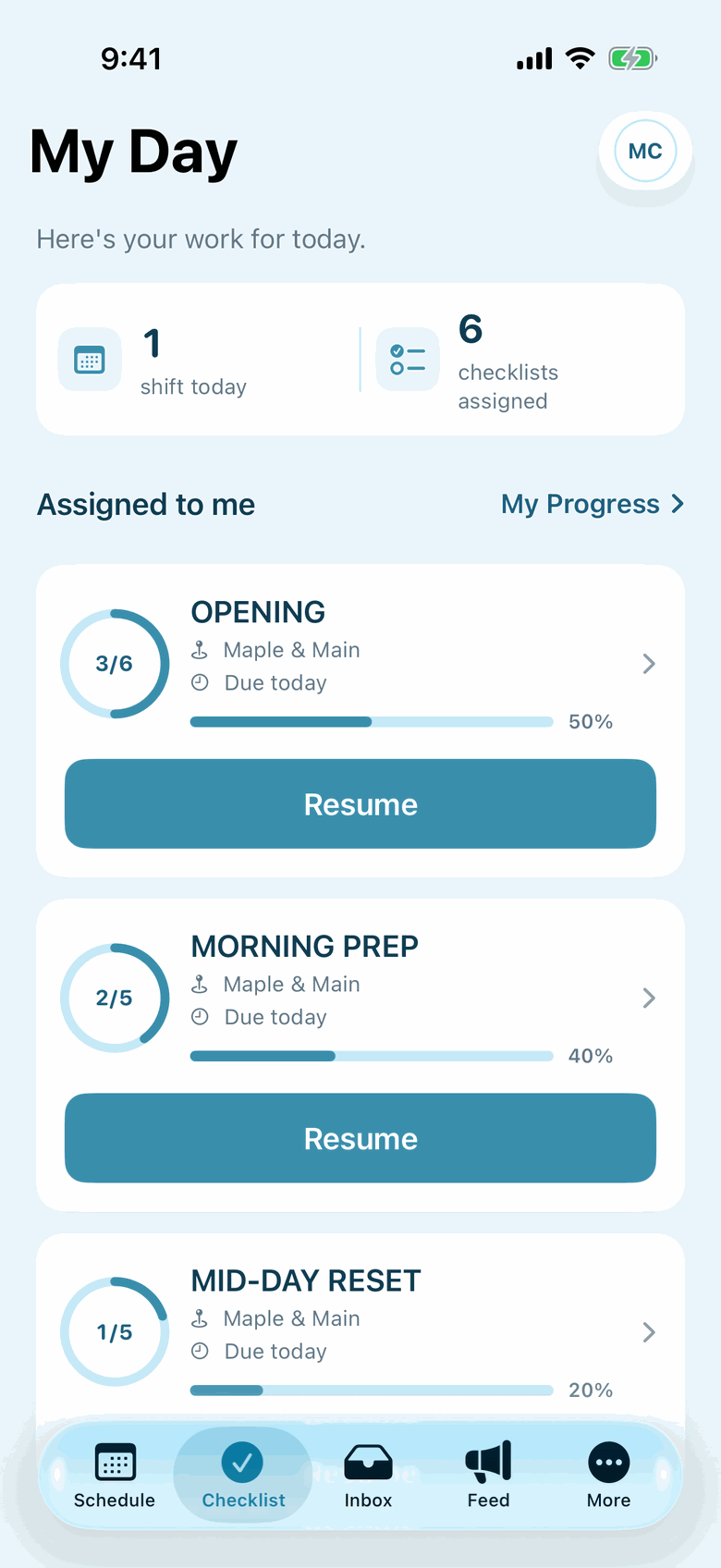
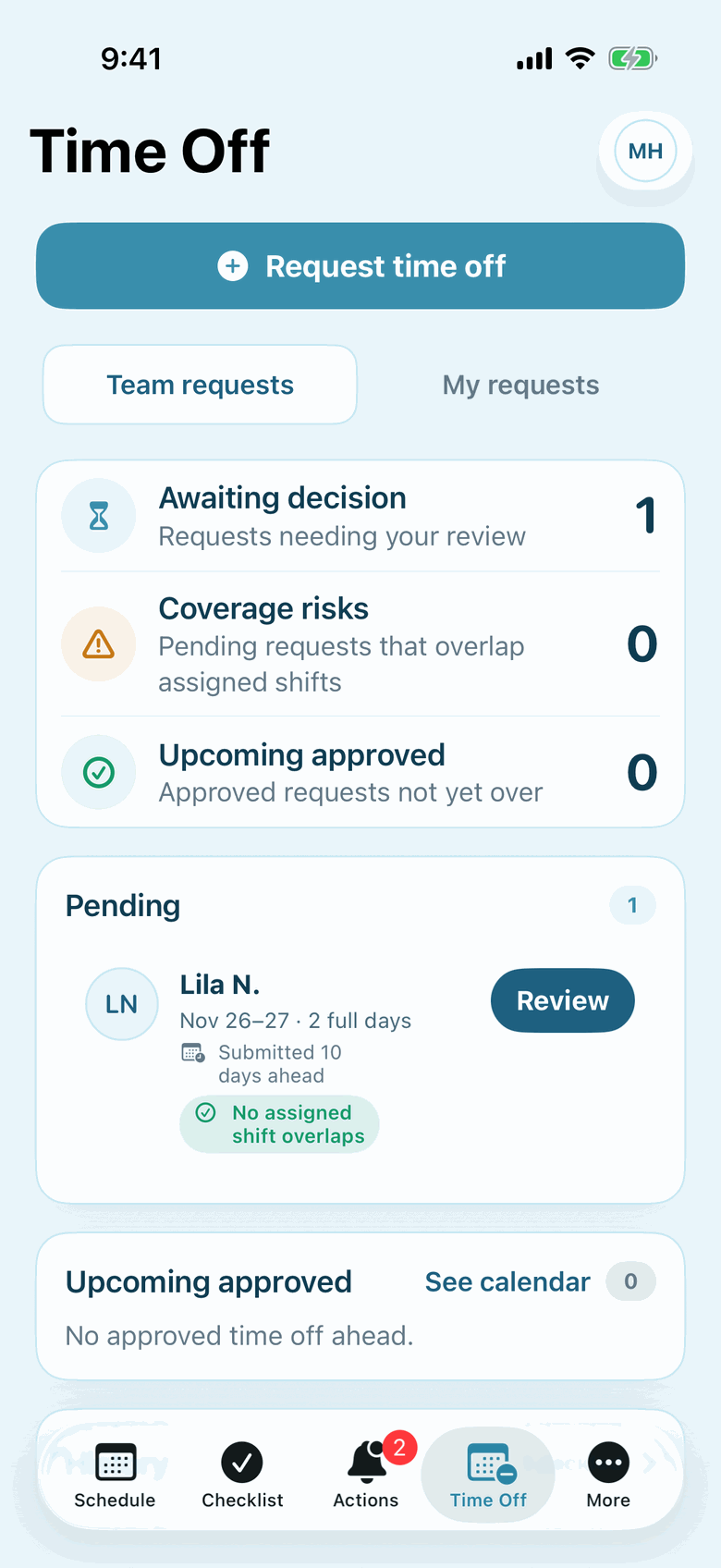
Actual Shiftway iPhone screens from a sample workspace. Open any screenshot for a closer look. The iPhone app is included on Basic and Pro.

Publish schedule and week controls in the Shiftway iPhone app
Build and publish
Employee My Day and assigned checklists in the Shiftway iPhone app
Today's work
Time-off requests in the Shiftway iPhone app
Review time off
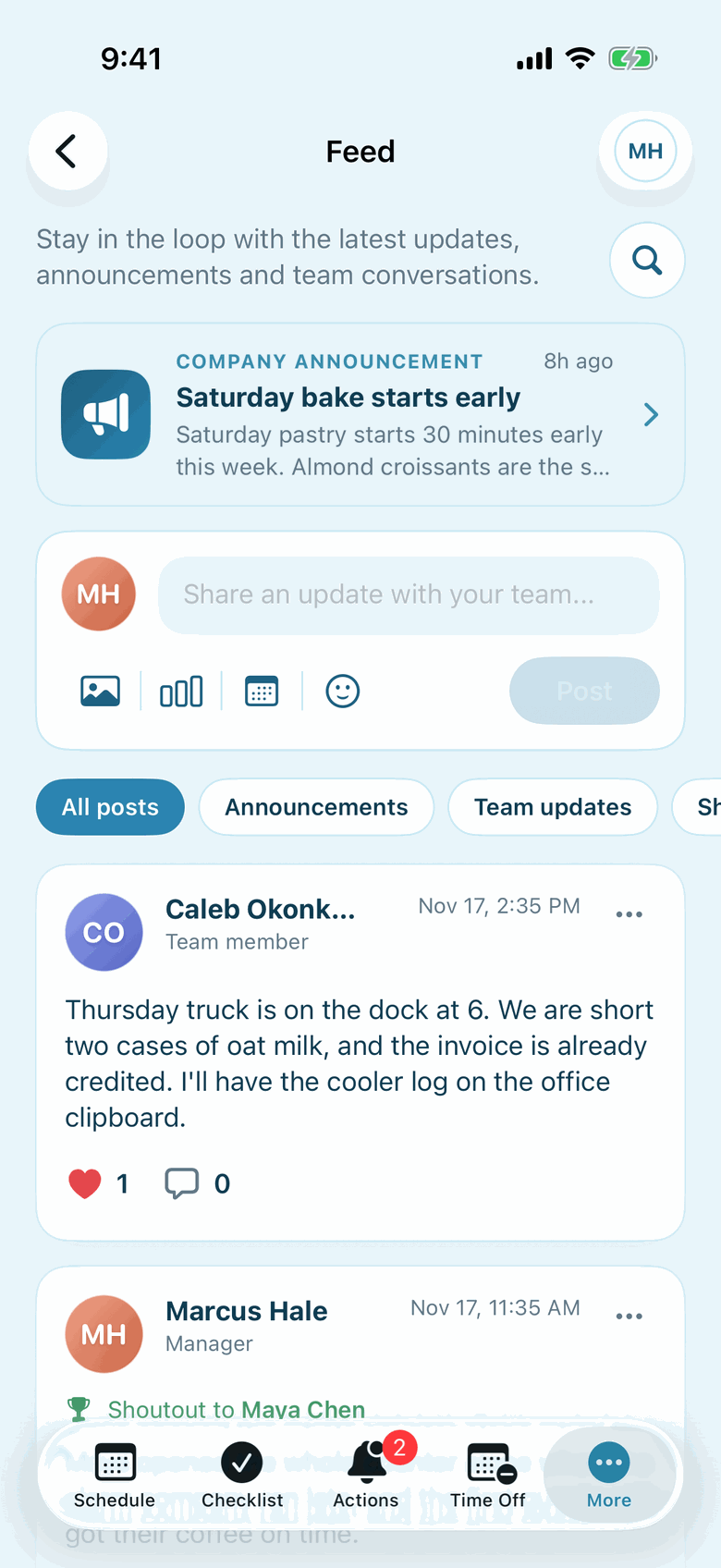
Team feed in the Shiftway iPhone app
Keep the team informed

What you can do today

Basic includes scheduling, swaps, time off, team messages, announcements, availability, and the iPhone app. Pro adds Time clock, SMS alerts, and Busy-day highlights, with unlimited employees and locations.

  • Add people, assign positions, and color-code the week
  • Copy last week, edit cells, and publish or unpublish
  • Post open shifts and let staff claim them
  • Approve time off and swap requests from To Do
  • Message the team and post to the company feed

How a week usually runs

Most teams draft Monday through Sunday, review hours, then publish. After publish, employees see their shifts and can request changes without leaving Shiftway.

  • Draft the week on Schedule
  • Invite the team from Team so they can log in
  • Handle remaining coverage from To Do

Common questions

Can employees see the schedule on a phone?

Yes. Employees open the workspace URL in a browser. There is no required app download.

What is included on Basic vs Pro?

Basic is free forever for one location and up to 50 employees, with scheduling, swaps, time off, messaging, announcements, availability, and the iPhone app. Pro includes everything in Basic, unlimited employees and locations, Time clock, SMS alerts, and Busy-day highlights.