Staffing agency scheduling
Know who is working at which client this week
If you place your own pool of workers on shifts at a handful of client sites, the hard part is keeping the week straight: who is where, which placements repeat, and who can take the extra shift a client just asked for. Shiftway is a scheduling tool, not agency software, and this page is clear about where that line is.
Basic is free forever for one location and up to 50 employees. No credit card.
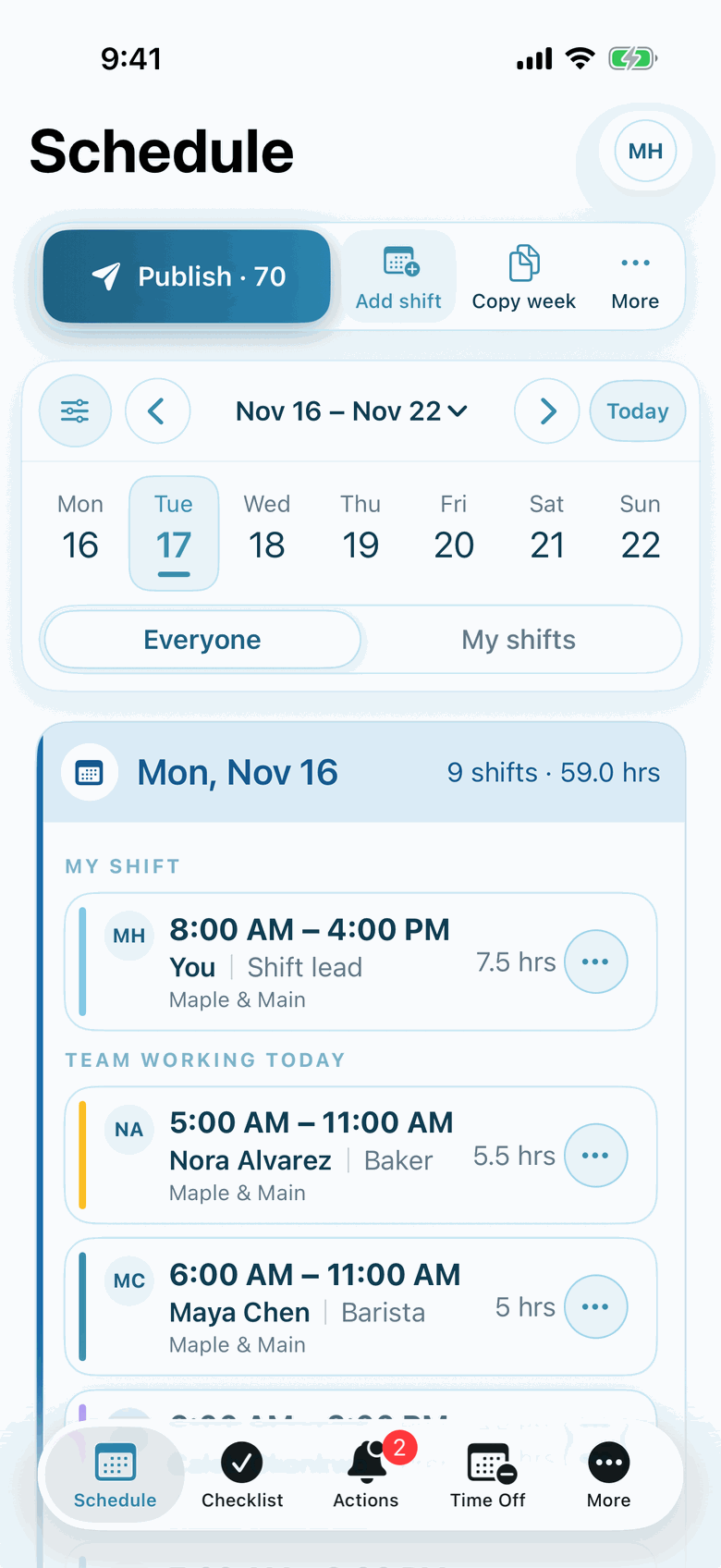
Actual Shiftway iPhone screen from a sample café workspace.
Copy, adjust, publish. Copy last week's placements, add open shifts for new requests, and publish the whole week or only selected shifts.
An honest fit check
Read this before you sign up
Shiftway can work well for a small agency, but it is a scheduling tool. Here is the honest version.
Shiftway fits when you have
- Small agencies placing their own workers on shifts at recurring client sites
- One office scheduling everyone: create one location and a position per client site, so a worker can go to different clients in the same week
- Workers who need their weekly schedule and site details on their phone
- Up to 50 workers free; unlimited workers on Pro
Look elsewhere if you need
- Client portals, client approvals, or invoicing
- Recruiting, onboarding paperwork, or credential tracking
- Payroll processing or integrations with agency software
- Separate locations per client for workers who move between clients. In Shiftway each employee belongs to one location
What the week looks like
One week, three client sites
Sample week: one agency location, three client sites
Illustrative sample| Team | Mon | Tue | Wed | Thu | Fri | Sat | Week |
|---|---|---|---|---|---|---|---|
| Workers | |||||||
| AndreaRiverside Warehouse | 6a–2:30p | 6a–2:30p | 6a–2:30p | 6a–2:30p | 6a–2:30p | Off | 42.5 h |
| KofiRiverside Warehouse | 2p–10:30p | 2p–10:30p | Off | 8a–4pHarbor Clinic | 2p–10:30p | Off | 33.5 h |
| LuciaHarbor Clinic | 8a–4p | 8a–4p | 8a–4p | Off | 8a–4p | Off | 32 h |
| SeanOak St. Events | Off | Off | Off | 4p–11p | 4p–12a | 12p–12a | 27 h |
| Open shiftOak St. Events | Off | Off | Off | Off | Off | 12p–8pClient added Thursday | Unassigned |
| Hours | 25 h | 25 h | 16.5 h | 23.5 h | 33 h | 12 h | 135 h |
The real problems
The scheduling side of a small agency
Shiftway handles the weekly schedule, notes, and requests. Billing, compliance, and recruiting stay in your other tools.
01
Placements that repeat, with exceptions
Most workers go back to the same client every week, until a client cuts a day or adds a shift.
In Shiftway
Copy last week, then change the exceptions. Each client site is a position, so filtering to that position shows one client's week.
Weekly schedule builder02
A client asks for one more person tomorrow
The request arrives at 4 PM and you need someone who is free and has not already worked a long week.
In Shiftway
Post an open shift with that client's position. Workers can request it, and the grid shows each person's weekly hours and anyone over 40 before you approve.
03
Workers at the wrong door
A new placement means a new address, entrance, contact, and dress code, usually sent in a text that gets lost.
In Shiftway
Put site details in the shift's notes: address, who to ask for, what to wear. Workers see the note with the shift.
04
Reconciling hours with clients
At the end of the week you need to know who worked where, and for how long.
In Shiftway
Export the week to CSV with employee, position, date, times, and hours, and use it in your own billing process. Pro's Time clock adds actual clock-in and clock-out records, exported as a timesheet CSV.
Time clock on Pro
A worked example
Monday morning at a small agency
About 30 workers placed at five recurring clients from one office.
Monday, 7 AM
Copy last week
Recurring placements carry over. Change the client that cut Wednesday and the worker who asked off Friday.
Monday
Add the new request
A client wants two extra people Saturday. Post two open shifts under that client's position, with the address and contact in the notes.
Monday
Publish
Workers see where they are going each day on the iPhone app or a phone browser.
Monday afternoon
Approve the takers
Approve the requests for Saturday after checking each worker's hours for the week.
Friday
Export the week
Download the week as CSV for your own billing and payroll process.
Features, and why they matter here
The parts of Shiftway an agency uses
Weekly schedule builder
Basic + ProA position per client site, with notes for address and contact on each shift.
Copy and paste weeks
Basic + ProRecurring placements copied forward, exceptions edited.
Open shifts
Basic + ProNew client requests posted for workers to request.
Hours and labor estimates
Basic + ProWeekly hours per worker, a flag over 40, and a CSV export of the week.
Team management
Basic + ProUp to 50 workers on Basic; unlimited on Pro.
Time clock
ProClock-ins, breaks, and corrections exported as a timesheet CSV, on Pro.
Questions
Shiftway for staffing agencies: common questions
Should each client be a location or a position?
If workers move between clients, use one location and a position per client site. Each employee belongs to one location in Shiftway, so separate locations only suit workers who stay at a single client. Separate locations are a Pro feature, billed per active location.
Can clients log in to see their schedule?
Shiftway has no client portal. Anyone with a login is part of your workspace, so we do not recommend inviting clients. Export the week as CSV if a client needs a copy.
Can I bill clients from Shiftway?
No. Shiftway does not invoice. The weekly CSV export of scheduled hours, and Pro timesheet exports, can feed your own billing process.
How do workers know where to go?
Put the address, entrance, contact, and dress code in the shift's notes. Workers see the note with their shift on their phone.
How many workers can I schedule for free?
Basic includes up to 50 employees at one location. Pro removes the employee limit and is priced per active location, not per worker.
Try it with one week of placements
Create a free workspace, add your client sites as positions, and copy in a real week to see if it fits.
Basic is free forever for one location and up to 50 employees. No credit card.