Hotel & lodging scheduling
Twenty-four hours at the desk, and rooms turned by check-in
A small hotel runs three clocks at once: a front desk that cannot go dark, housekeeping that follows checkouts, and maintenance that gets called whenever something breaks. Shiftway puts all three on one weekly schedule, including the overnight shift that ends tomorrow morning.
Basic is free forever for one location and up to 50 employees. No credit card.
Sample week: a 40-room inn
Illustrative sample| Team | Mon | Tue | Wed | Thu | Group arrivesFri | Sat | Heavy checkoutSun | Week |
|---|---|---|---|---|---|---|---|---|
| Front desk | ||||||||
| GraceDesk AM | 7a–3p | 7a–3p | 7a–3p | Off | 7a–3p | 7a–3p | Off | 40 h |
| MalikDesk PM | 3p–11p | 3p–11p | Off | 3p–11p | 3p–11p | 3p–11p | 3p–11p | 48 h |
| Open shiftDesk PM | Off | Off | Off | Off | 2p–10pExtra for check-in | Off | Off | Unassigned |
| RuthNight audit | 11p–7a | 11p–7a | 11p–7a | 11p–7a | Off | Off | 11p–7a | 40 h |
| Housekeeping | ||||||||
| ElenaRoom attendant | 9a–3p | 9a–3p | Off | 9a–3p | 9a–3p | 9a–4p | 9a–4p | 38 h |
| JoyRoom attendant | Off | 9a–3p | 9a–3p | Off | 9a–3p | 9a–4p | 9a–4p | 32 h |
| TomásLaundry | 8a–2p | Off | 8a–2p | 8a–2p | Off | 8a–3p | 8a–3p | 32 h |
| Maintenance | ||||||||
| WaltMaintenance | 8a–4:30p | 8a–4:30p | 8a–4:30p | 8a–4:30p | 8a–4:30pNote: on call to 10 PM | Off | Off | 42.5 h |
| Hours | 44.5 h | 44.5 h | 36.5 h | 36.5 h | 36.5 h | 37 h | 37 h | 272.5 h |
The real problems
What a small hotel's schedule has to handle
Three departments, three rhythms, one manager who usually covers the gaps personally.
01
The desk cannot be empty, even at 3 AM
Night audit is the shift nobody wants and the one you cannot leave open. It also confuses most spreadsheets, because it ends tomorrow.
In Shiftway
Enter an end time earlier than the start, like 11 PM to 7 AM, and Shiftway treats the shift as ending the next day. Its hours count on the day it starts, so totals stay honest.
Weekly schedule builder02
Housekeeping follows checkouts, not a fixed pattern
A Sunday with heavy checkouts needs more room attendants than a quiet Tuesday, and you usually know only a few days ahead.
In Shiftway
Shiftway does not read occupancy or connect to a property management system. You decide the headcount; Shiftway makes it quick to add or remove room-attendant shifts and see the day's hours before you publish.
03
Who is on call for maintenance?
A leak at 9 PM turns into a group text asking who has the tools and the keys.
In Shiftway
Put on-call details in the shift's notes, such as the hours and the number to call. Staff see the note with the shift, and the whole team can read the published week.
04
Seasonal staff and weekend swaps
Summer staff trade shifts constantly, and it is hard to tell which version of the schedule is current.
In Shiftway
Swaps happen inside Shiftway: the coworker accepts, a manager approves, and the published schedule updates for everyone.
How shift swaps work
A worked example
A group block lands on a Friday
Tuesday afternoon you learn that a wedding party has booked 18 rooms arriving Friday and checking out Sunday.
Tuesday
Add desk coverage for arrival
Add an extra afternoon desk shift on Friday. If you do not know who yet, post it as an open shift.
Tuesday
Staff Sunday's turnover
Add room-attendant and laundry hours to Sunday and Saturday, then check the day totals.
Wednesday
Approve who takes the open shift
Someone requests the Friday desk shift. Check their week, approve, and the schedule updates.
Wednesday
Tell everyone once
Pin a feed post about the group: arrival time, the block of rooms, and anything housekeeping should know.
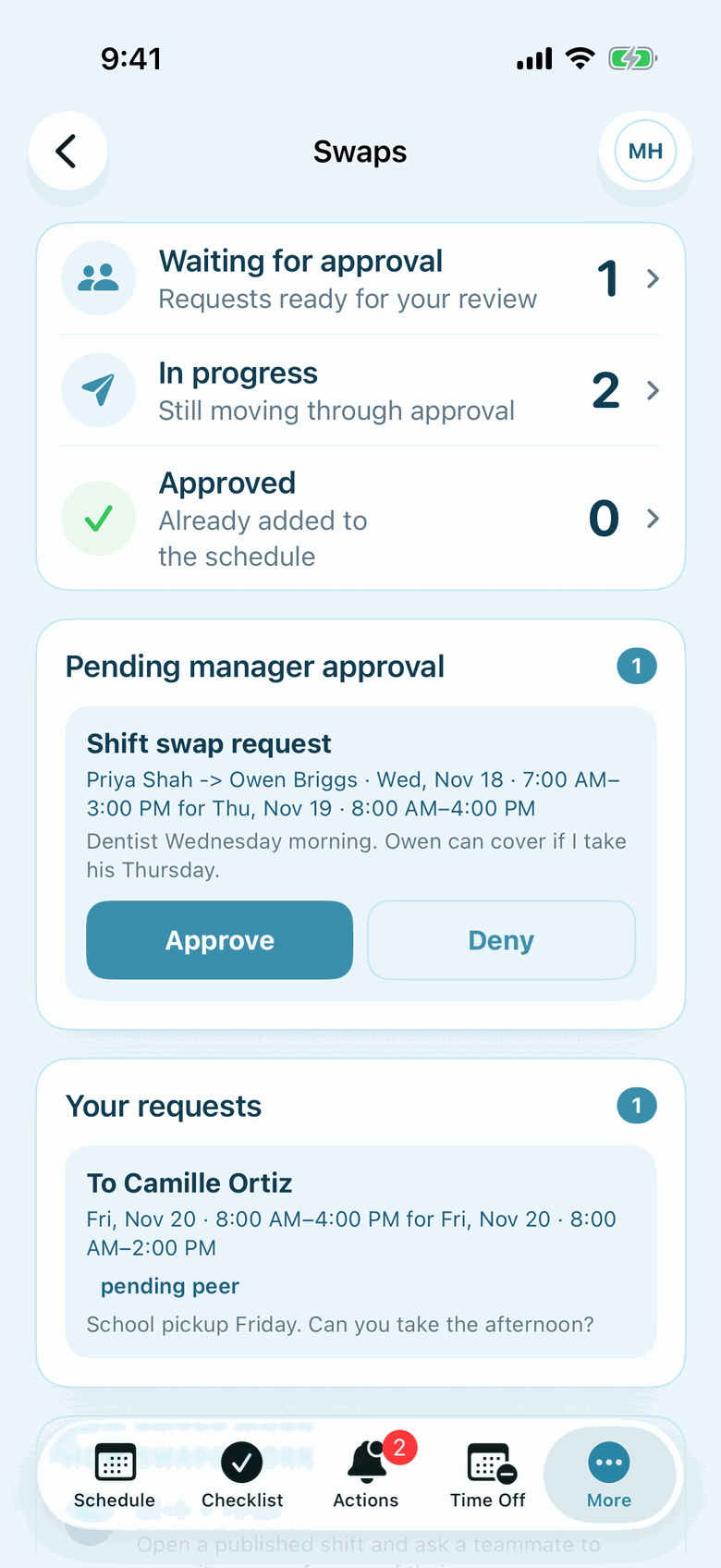
Actual Shiftway iPhone screen from a sample café workspace.
In the iPhone app
Swaps you can approve from the lobby
See which swaps are waiting on a coworker, which are waiting on you, and which are already on the schedule.
The iPhone app is included on Basic and Pro. Staff without an iPhone use the same workspace in a phone browser.
About the iPhone appFeatures, and why they matter here
Tools for running three departments
Weekly schedule builder
Basic + ProA position per department, overnight shifts, and notes on any shift.
Shift swaps
Basic + ProTrades that need a coworker's yes and a manager's approval.
Time off
Basic + ProRequests with dates and notes, checked against the schedule.
Announcements
Basic + ProPin a group arrival, a fire-drill date, or a new procedure.
Open shifts
Basic + ProExtra coverage for a busy day without picking someone in advance.
Locations
Basic + ProA second property with its own weekly schedule, on Pro.
SMS alerts
ProSchedule texts to staff who opt in, on Pro.
An honest fit check
Is Shiftway right for your property?
Shiftway fits when you have
- Independent hotels, inns, B&Bs, and motels
- Front desk, night audit, housekeeping, and maintenance
- Up to 50 staff at one property free; more people and properties on Pro
Look elsewhere if you need
- A PMS integration or staffing from occupancy forecasts
- Room assignments or a housekeeping room board
- Seniority bidding or union scheduling rules
- Payroll processing
Questions
Shiftway for hospitality: common questions
Can I schedule night audit shifts that end the next morning?
Yes. Set an end time earlier than the start time, such as 11:00 PM to 7:00 AM, and Shiftway treats it as ending the next day. The shift's hours count on the day it starts.
Does Shiftway connect to our property management system?
No. Shiftway does not integrate with a PMS or read occupancy. You decide staffing levels and build the shifts yourself.
Can housekeepers swap shifts with each other?
Yes. An employee requests a swap with a coworker, the coworker accepts, and a manager approves before the schedule changes.
Can we run more than one property?
Basic covers one location. On Pro, each property can be its own location with its own weekly schedule, billed per active location.
How do we tell staff about a big group arrival?
Post it to the team feed and pin it so it stays at the top. Staff can comment or react to the post, and you can use direct messages for individual questions.
Put the desk, rooms, and repairs on one schedule
Create a free workspace, add a position for each department, and build next week, overnight shifts included.
Basic is free forever for one location and up to 50 employees. No credit card.